 What's My Set
Using a Rest Timer on Apple Watch (No iPhone Needed)
Between sets your iPhone is busy: music, messages, maybe a little scrolling. A rest timer on your wrist doesn't compete with any of that. It just taps you when it's time to go again, with your set count already correct.
What a wrist-first workout looks like
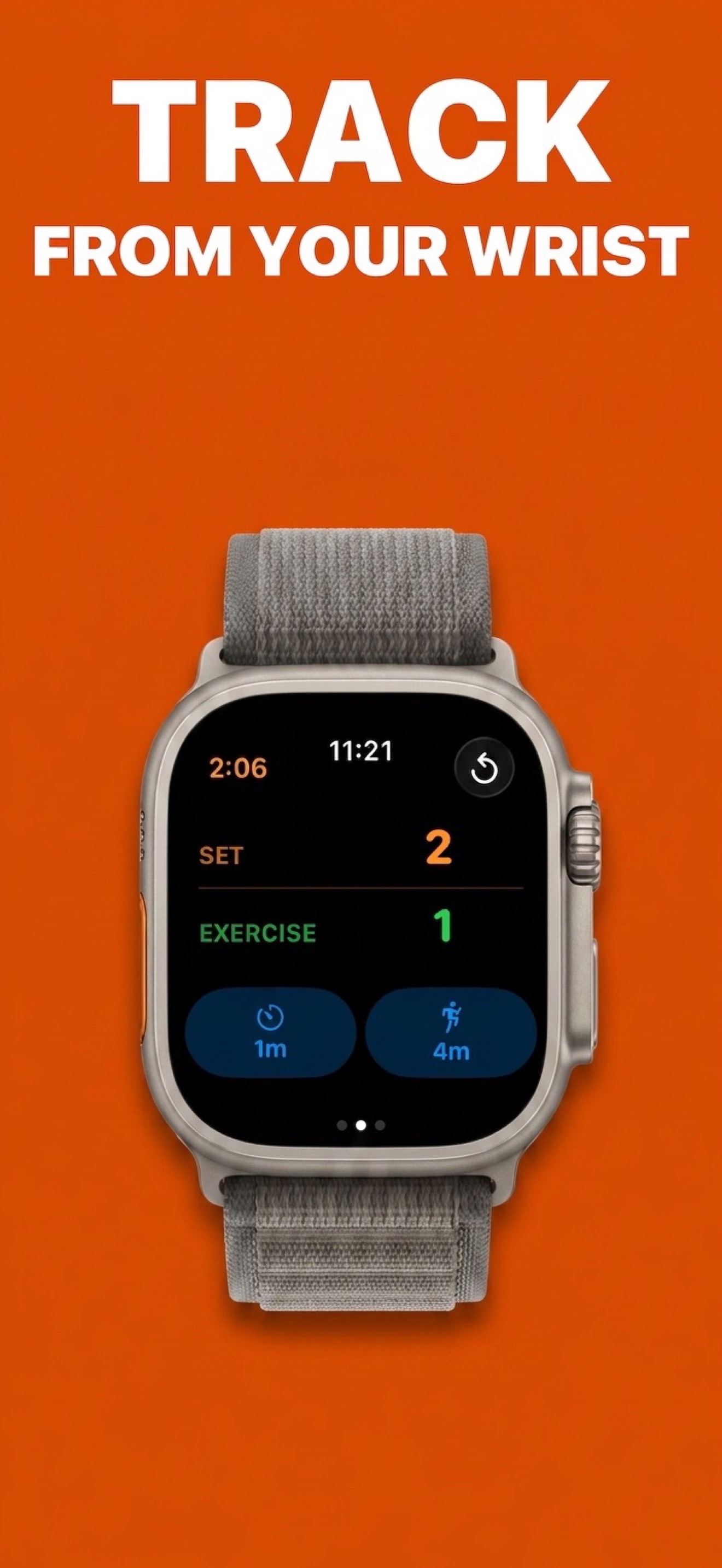
What's My Set runs as a full standalone app on Apple Watch. From your Apple Watch you get:
- Set and exercise counters readable at a glance, with workout duration on the same screen.
- One-tap rest timers. Finish your set, tap your wrist, rest. Haptics and audio cues call you back when it's time, and the set count advances itself.
- Tabata and EMOM interval timers (part of Pro) with distinct cues for work and rest phases.
- Live heart rate during your workout, with Pro.
- Large Counters mode: an optional high-visibility layout with configurable colors (or symbols, if you use Differentiate Without Color), for anyone who wants the set and exercise numbers even bigger and bolder.
- Feedback your way: choose Sound & Haptics, Sound Only, Haptics with Less Sound, or None, so a quiet home gym and a loud commercial gym both work.
How to set it up
- Get What's My Set, with an optional Pro upgrade. Everyone gets set counting and a one-tap rest timer from the wrist. Pro adds multiple configurable rest timers, Tabata & EMOM intervals, and live heart rate.
- Set your two rest durations (for example 90 seconds and 3 minutes; see how long to rest between sets). Configurable durations are part of Pro; the free version includes a one-tap 60-second timer.
- Start your workout. Tap a rest timer after each set; tap refresh when you move to the next exercise.
- Optionally log to Apple Health. With Pro and logging on, your session is saved with duration, workout type, heart rate, and energy burned (details in the Apple Health guide).
Why not just use the built-in Workout app?
Apple's Workout app is great at measuring effort: calories, heart rate, time. It doesn't answer the question you actually have between sets: "what set am I on, and when do I go again?" What's My Set is built around exactly that, and still hands the health data off to Apple Health when you want it.
Your wrist already knows the answer
Download What's My Set free and count your sets from your wrist. Pro adds configurable timers, Tabata & EMOM intervals, and live heart rate.
 Free set counting · iPhone, iPad & Apple Watch