 What's My Set
How to Keep Track of Sets During a Workout
Losing count of sets is close to universal. Between sets your brain goes elsewhere: a message, a song change, a chat between exercises. When you start your next set, the count is gone. It's not a discipline problem; working memory just isn't built for holding a number through three minutes of distraction, repeated twenty times.
The usual fixes (and why they fall apart)
- Counting in your head. Works until the first distraction. Which is usually set two.
- Chalk marks, coins, or moving plates. Reliable, but clumsy, and useless for tracking which exercise you're on across a whole session.
- Notebook or notes app. Great for logging weights long-term, but heavyweight for the simple question "what set am I on right now?" You have to remember to write between every set, which is the exact remembering you're bad at.
- Full workout-logger apps. Powerful, but mid-workout they bury the current set count under programs, plates, and stats screens.
The fix: a counter that advances itself
I built What's My Set because I kept losing track of when my rest periods ended and what set I was on, and I couldn't find anything on the App Store that met my needs for simplicity, usability, and accessibility. It does one job extremely well:
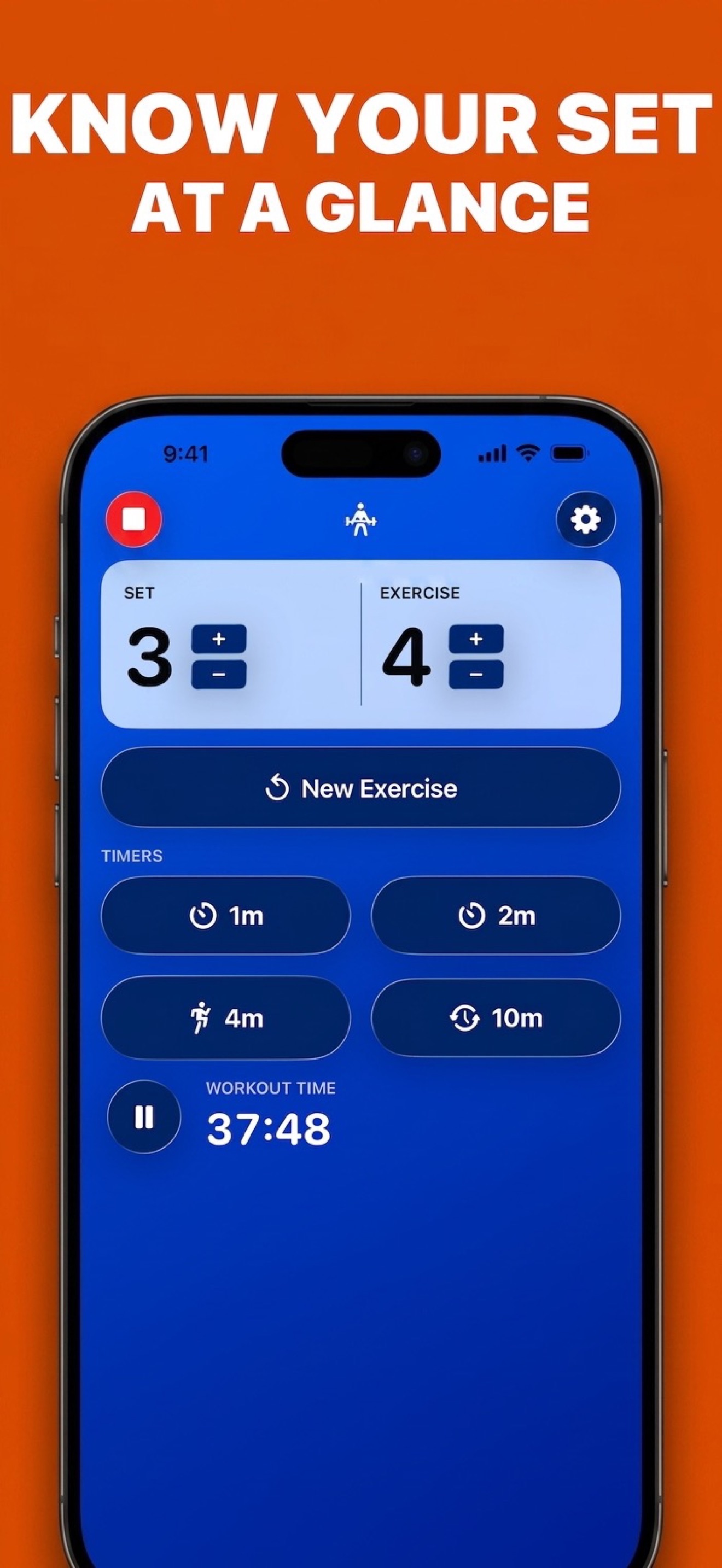
- Set and exercise counts stay front and center, in large type you can read from across the room. One glance answers the question.
- Rest timers count for you. Tap a rest timer when you finish the set; when it completes, the set count increments automatically. The timer even shows the set you're about to start (or the one you just finished, your choice).
- One tap per exercise change. Moving from one exercise to the next? The refresh button resets the set count and bumps the exercise count.
- Works on your wrist too. The Apple Watch app shows the same counters, so the answer is a wrist-glance away, phone optional.
And because your rest is timed while your set is counted, you also fix the other half of the problem. See how long you should rest between sets.
Let the app keep count
Download What's My Set free: a set counter with a one-tap rest timer for iPhone, iPad, and Apple Watch. No setup, no lost sets.
 Free set counting · iPhone, iPad & Apple Watch